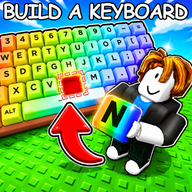
Build A Keyboard Wiki
Roblox TycoonTrack public Build A Keyboard codes, learn the roll-and-upgrade loop, compare keycap and worker choices, and plan your next cash upgrade from verified Roblox data.
Latest Build A Keyboard guides
Guia Definitivo para Iniciantes no Build A Keyboard: Dicas, Códigos e Automação
O Guia Definitivo de Build A Keyboard no Roblox: Códigos, Dicas e Estratégias
Códigos de Build A Keyboard: O Guia Definitivo para Keycaps e Dinheiro Grátis
Como Encontrar as Melhores Keycaps de Build A Keyboard no Roblox
Guia Definitivo para Encontrar as Keycaps Raras de Build A Keyboard no Roblox
O Guia Definitivo para Coletar Teclas de Build A Keyboard no Roblox
Domine a Automação no Build A Keyboard: Contrate Trabalhadores e Maximize Seus Ganhos
Maximize Sua Fazenda Com os Trabalhadores do Build A Keyboard: Guia Completo
Quick start
Your first Build A Keyboard session
Redeem public codes
Copy the official code strings first so early rewards are checked before the grind starts.
Roll for keycaps
Use cash to roll, compare the keycaps you pull, and note anything that changes your income.
Hire workers early
Workers automate the keyboard farm, which matters because the official description says earnings continue offline.
Upgrade the setup
Reinvest cash into keyboard expansion and upgrade choices before chasing leaderboard progress.
Wiki routes
Build A Keyboard guide hub
What is Build A Keyboard?
Build A Keyboard is a Roblox simulation tycoon from BAKGAME built around rare keycaps, workers, cash growth, and a keyboard setup that keeps expanding as you play.
The official loop is simple but sticky: roll for keycaps, hire workers to automate the farm, upgrade the keyboard, and use the cash flow to climb leaderboards. Public codes in the Roblox description help new players start faster.
Because exact keycap rankings and worker math can change with updates, this wiki separates verified official data from player-tested notes and keeps uncertain tier claims labeled as evidence.
Read the Beginner GuideCreator
BAKGAME
Genre
Simulation Tycoon
Visits
4.2M+
Likes
45K+
Favorites
18K+
Players
8 per server
Codes
3 public strings
Explore Build A Keyboard
Jump into codes, rolls, workers, upgrade math, cash routes, tier evidence, and official community links.
Build A Keyboard Codes
Use this page to copy the public code strings currently shown in the official Roblox description. Keep rewards marked as reported or verified separately because code rewards can change quickly after updates.
THANK5KOfficial description code for the 5,000 likes milestone.DUMPLINGCRATEOfficial description code for the 1,500 likes milestone.ILOVEKEYCAPSOfficial description code for the 500 likes milestone.Build A Keyboard Beginner Guide
Start with the official loop: roll keycaps, hire workers, upgrade the keyboard, earn cash, and climb leaderboards. The beginner route focuses on reducing wasted early cash and making the first worker purchases count.
Build A Keyboard Keycaps
Keycaps are the collectible core of Build A Keyboard, but exact public stat tables are not safely sourced yet. This module teaches players how to record rolls, compare income changes, and avoid treating rarity claims as facts.
Hold for confirmed high-income keycaps with repeatable evidence.
Use for strong pulls that multiple players can reproduce.
Use for useful early keycaps before better data appears.
Use for low-impact pulls or uncertain claims.
Build A Keyboard Workers
Workers automate the farm and support offline earning, making them a core scaling system. The worker guide explains when to buy automation instead of spending every bit of cash on rolls.
Build A Keyboard Upgrades
Upgrade and expand the keyboard setup after your cash flow starts moving. This section helps players compare short-term rolls with long-term setup growth.
Build A Keyboard Cash
Cash powers rolls, workers, upgrades, and leaderboard progress. The cash guide focuses on timing boosts, avoiding dead spending, and tracking income changes before and after upgrades.
Build A Keyboard Tier List
The tier list starts as an evidence tracker rather than a fake ranking. It explains what data is needed before a keycap, worker, or upgrade can be ranked responsibly.
Confirmed best choices with repeatable income evidence.
Strong choices with clear but incomplete data.
Usable choices for early and mid-game.
Unproven, low-impact, or situational choices.
Build A Keyboard Community
BAKGAME is the Roblox creator group behind Build A Keyboard. This section keeps official links visible and reminds players to verify update and reward changes through Roblox first.
Build A Keyboard quick answers
Short answers for codes, sources, rankings, and early progression.
Build smarter before the next roll
Use the wiki to check codes, plan worker and upgrade priorities, and keep tier claims tied to evidence instead of guesswork.